





Pulse · website analytics by JIN
Know which marketing channels bring in enquiries and sales.
Pulse shows each enquiry and sale with the channel that led to it, including WhatsApp taps and calls. It lives inside your own website, so your data stays with you, and it comes with every website we build.
The demo is the real dashboard with made-up sample data, available on request.
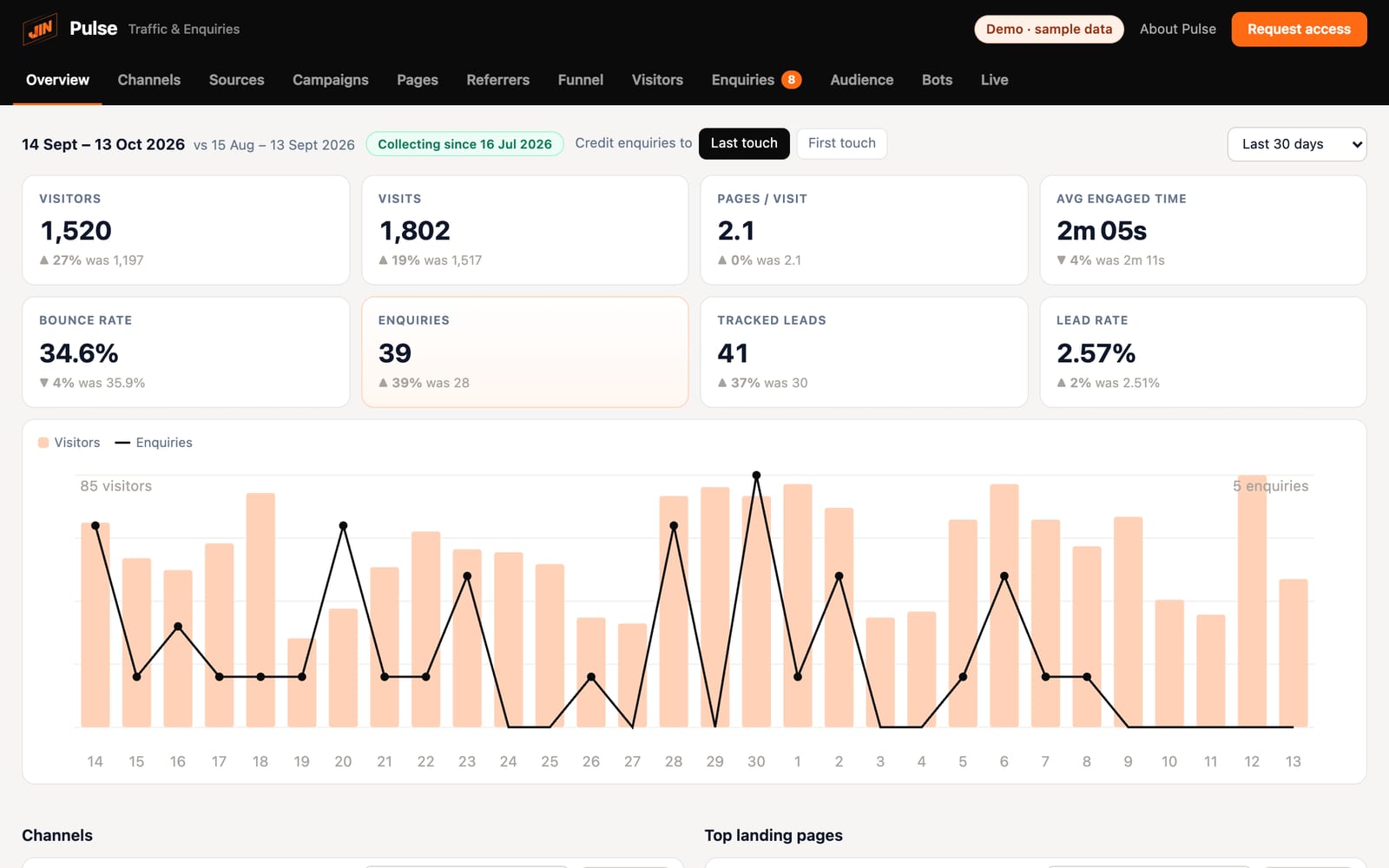
The real dashboard, shown with sample data.
Why clients use Pulse
Stop guessing where your leads and sales come from
Pulse shows which visitors got in touch or bought, and what brought them there.
01Enquiries and sales by channel
Spend on the marketing that works
See which ads, keywords, social posts and AI assistants bring in enquiries and sales. Put more behind the channels that pay, and stop paying for traffic that never buys or gets in touch.
Channels · last 30 days
Sample data02Every enquiry and order
Every WhatsApp, call, form and order counted
Taps on WhatsApp, phone and email links count as enquiries straight away, along with forms from the common form plugins. On a WooCommerce shop, each order arrives with the channel that sold it. No tagging needed.
Today
Sample dataWhatsApp
Google Ads · brand
Tapped “WhatsApp us” in the floating button on /pricing/
Call
Organic search · google
Tapped the phone number in the header on /services/payroll/
Form
LinkedIn · post
Sent “Book a demo” on /demo/
Order
Organic search · google
New order S$1,280, after 3 visits on /checkout/
03Your data, your website
Your visitor data stays with you
Everything is stored in your own website's database, on WordPress or a custom build. It is not sent to Google, HubSpot or to us.
Not sent to Google, HubSpot or JIN.
04Ready to read
Easy for the whole team to read
Pulse opens in your website's admin, with one clear page for each question. No reports to build, so sales and marketing can check results in a minute.
What you see
What people did on your site, and what it led to
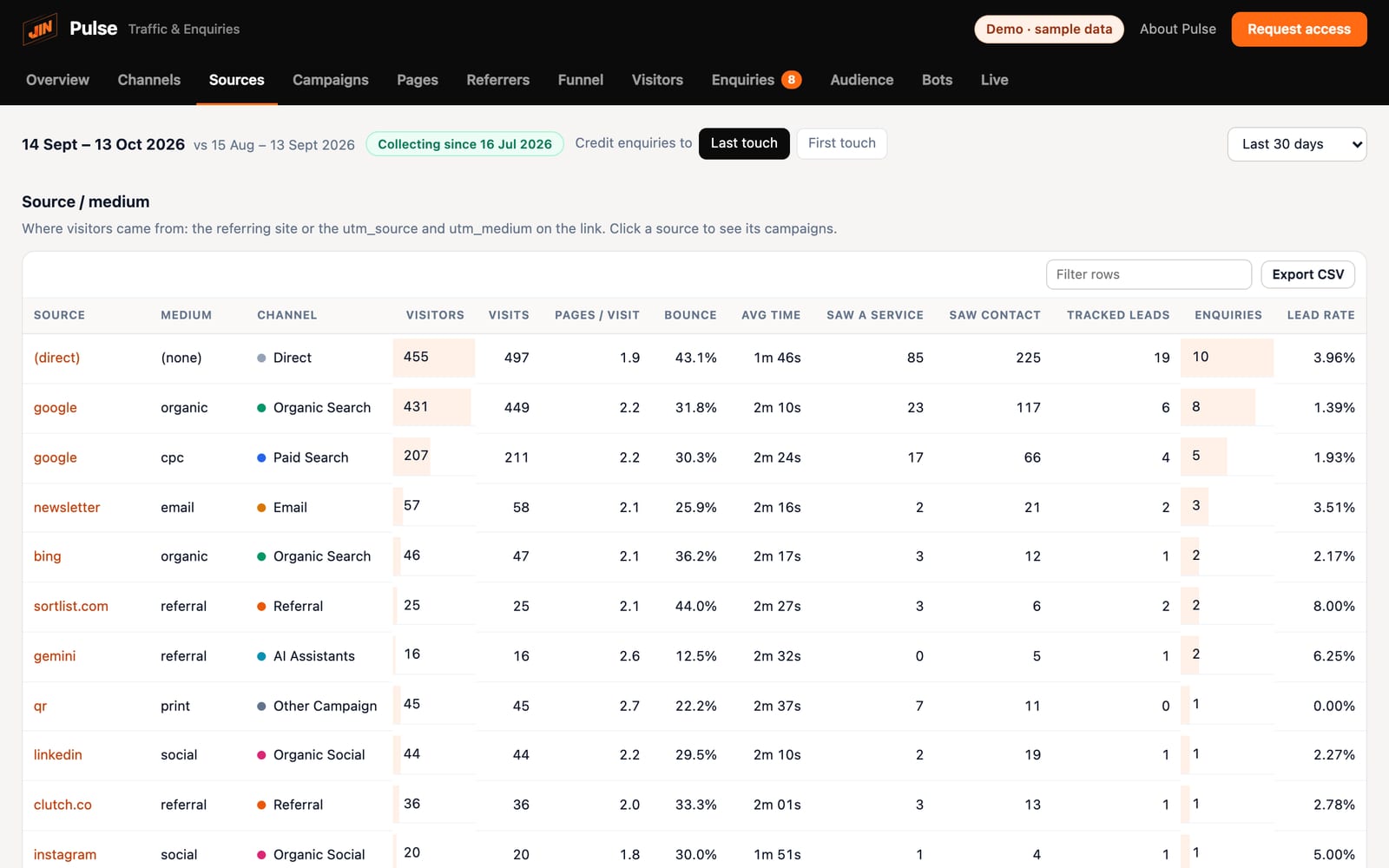
Your visits and where they came from
Google, ads, LinkedIn, newsletters, other websites and AI assistants like ChatGPT and Perplexity. When a visit truly has no source, Pulse says so, and shows what brought that person the first time.
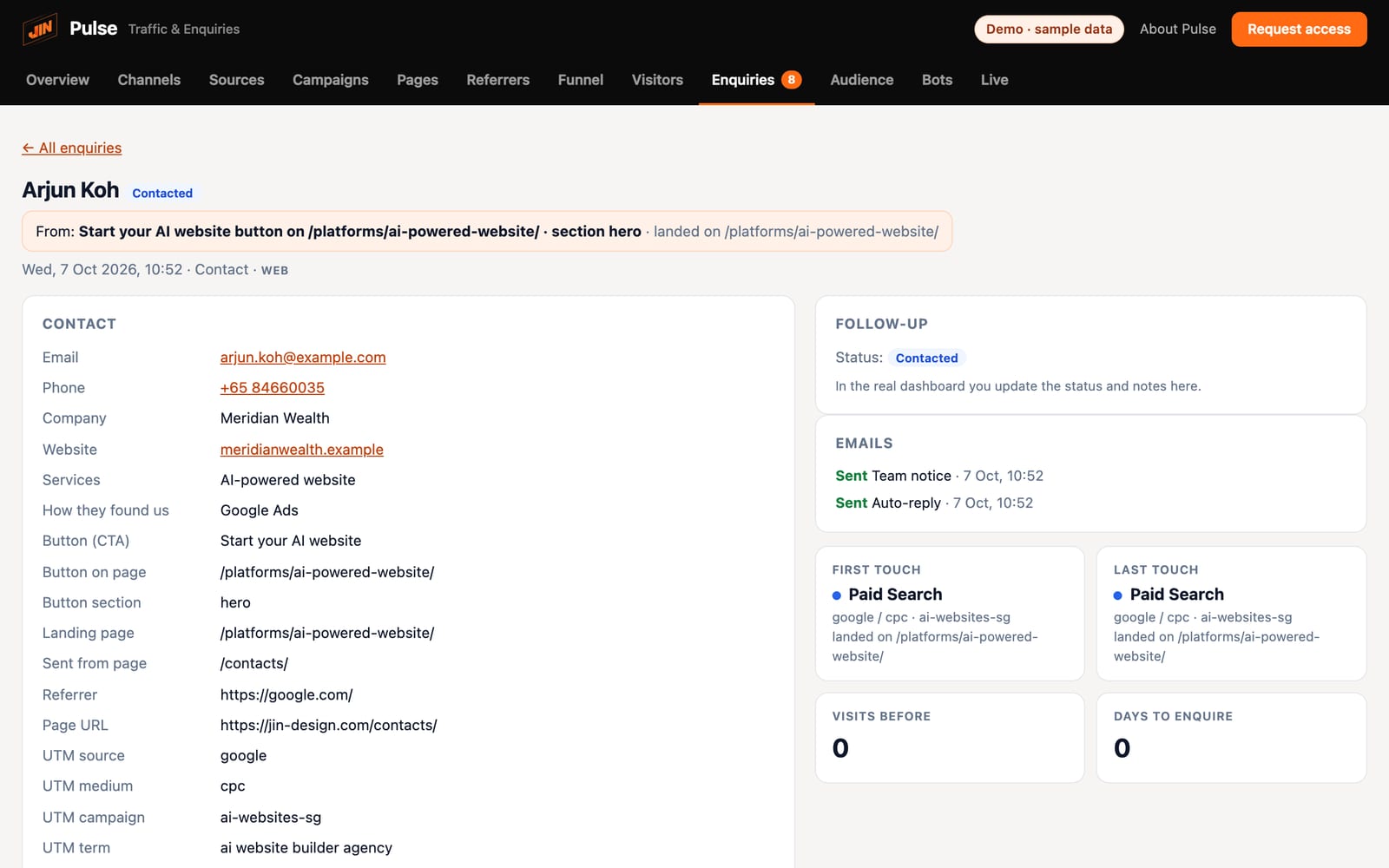
Enquiries with their story
Each enquiry arrives with its first and last touch, the campaign, the landing page and the exact button that sent it.
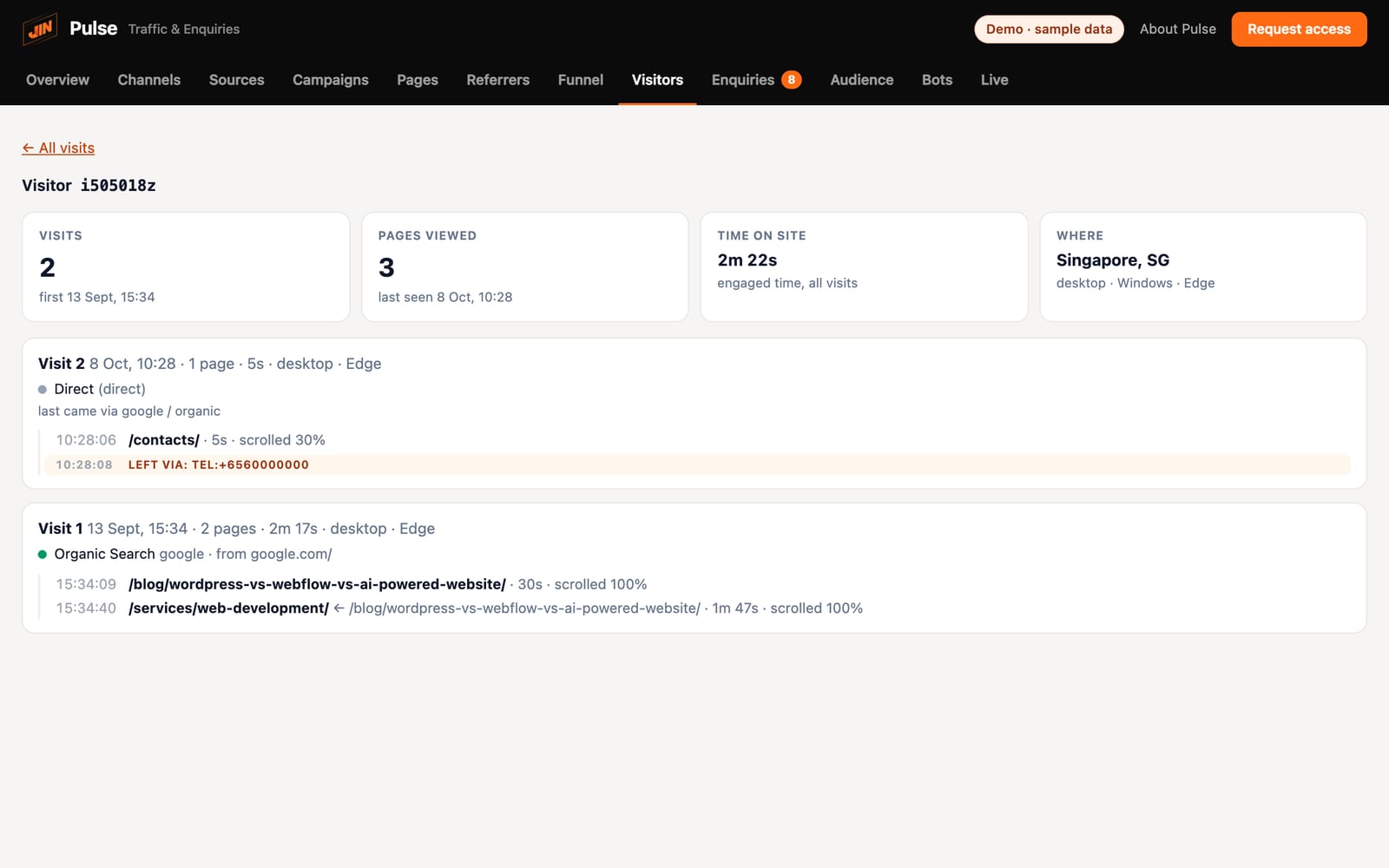
The full journey
Every page each visitor read, in order, with the page before it, time on page, scroll depth and the buttons they clicked, across all their visits.
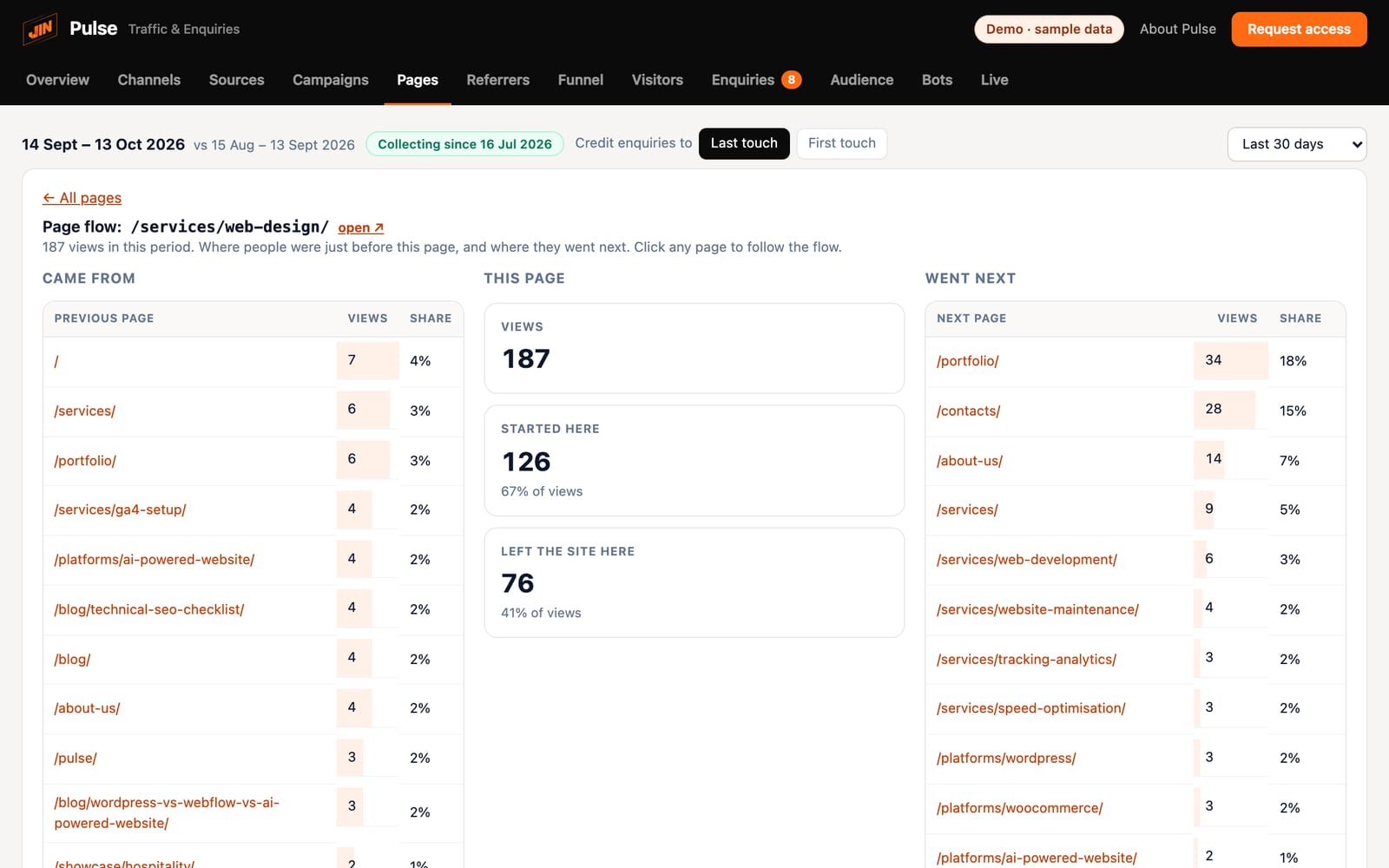
Where people go next
For any page, see where people came from, where they went next and how many left. See which pages move people towards contact and which lose them.
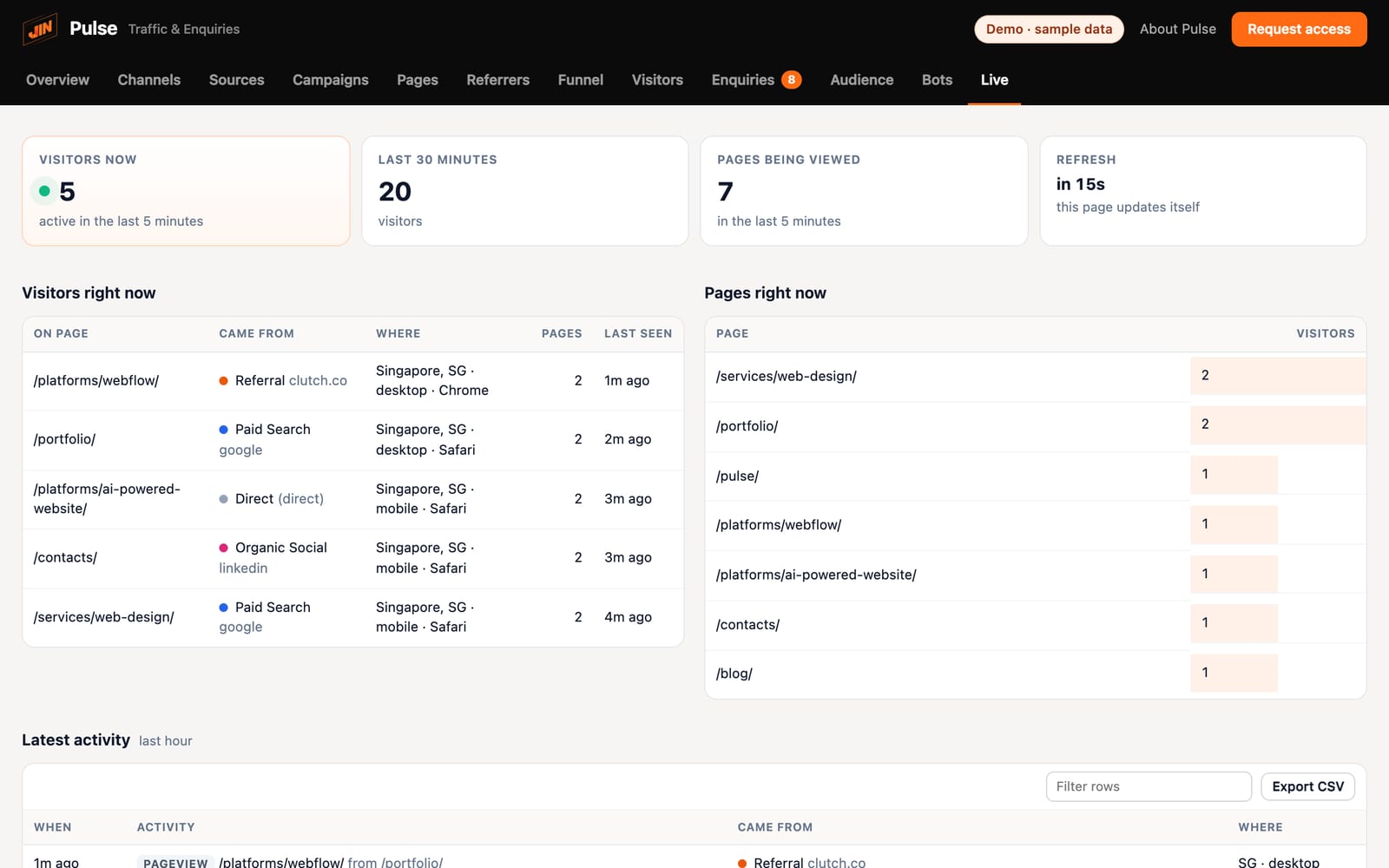
Who is on the site right now
The pages people are reading at this moment, where they came from and where they are, refreshed every 15 seconds.
Sample data from the demo.
Privacy
How Pulse handles privacy
Stored on your website
Visits, enquiries and sales are saved in your own website database, under your control.
No IP addresses kept
Pulse does not keep IP addresses or anything people type into forms, and none of it is sent to us.
Behind your own login
Only the people you choose can open it, using your website's own admin sign-in.
Pulse, GA4 and HubSpot
How Pulse compares with GA4 and HubSpot
GA4 and HubSpot are strong tools built for many jobs. Pulse focuses on which visits became enquiries and sales, and it runs alongside both.
| Pulse | Google Analytics 4 | HubSpot | |
|---|---|---|---|
| Where your data is stored | Your own website's database | Google's servers | HubSpot's servers |
| WhatsApp, call and email taps as enquiries | Counted automatically | Needs custom events set up | Forms built in, clicks need extra setup |
| Sales by channel | Each WooCommerce order with the channel that sold it | Yes, once ecommerce tracking is set up | Revenue attribution on Marketing Hub Enterprise |
| Each enquiry with the pages read before it | Yes, page by page | Per-user paths in Explorations, not tied to each enquiry | Yes, for contacts in the CRM |
| Ad blockers | Runs on your own domain, so less often blocked | Can be blocked by common ad blockers | Can be blocked by common ad blockers |
| Getting started | Ready to read in your website admin | Reports need setting up and some learning | Best when your sales team already works in HubSpot |
Based on each product's standard setup and published plans as of November 2026.
Do we have to drop GA4 or HubSpot?
No. Pulse runs alongside both. You can keep GA4 for your ad accounts and HubSpot for your sales team, and use Pulse to see which marketing turned into enquiries, and into sales on WooCommerce shops.
Who can see our data?
Only people who can log in to your website's admin. Pulse stores everything in your own website's database, and none of it is sent to Google, HubSpot, JIN or anyone else.
What happens if we stop working with JIN?
Your data stays where it is, in your own website's database. It belongs to you, so there is nothing to move or export from us.
What about PDPA?
Pulse keeps no IP addresses and does not record anything people type into forms. Your data stays on your own website. Your privacy policy should still say that you use analytics, as it would for any analytics tool.
Request access
See the demo, then get Pulse on your website.
Send your details and we'll email you a private link to the live demo once approved. Pulse comes with the websites we build, and we can add it to existing WordPress or custom sites.
- A private link to the live demo, once approved (it also opens the JIN CMS demo)
- A short call to understand your site and goals
- Setup for your forms, WhatsApp and call buttons, alongside GA4 or HubSpot if you use them
- Your dashboard inside your own website admin