
10 Email Hosting Providers in Singapore (2026)
Compare business email hosting in Singapore, from Google Workspace, Microsoft 365 and Zoho Mail to local hosts, and learn how to move email without downtime.

The short answer
- 01
Choose the platform first. Most teams pick Google Workspace or Microsoft 365 to match the apps they already use, or standalone mailboxes from Zoho Mail or a local host.
- 02
Compare the details that differ. Storage per mailbox, where mail is stored, sending limits and whether migration is included vary a lot between providers.
- 03
Plan the move. Copy your mailboxes before you switch the MX records, then set up SPF, DKIM and DMARC so your mail keeps reaching inboxes.
The right email host depends on the apps your team already uses and how much mail you keep. Most Singapore businesses choose between Google Workspace and Microsoft 365, which bundle email with documents and meetings, or standalone mailboxes from Zoho Mail or a local hosting company.
Below are 10 providers that offer business email in Singapore, with the details that actually differ between them and a plain guide to moving your email safely. We design and build websites at JIN Design; we do not sell email hosting, so nobody here is ranked or paid to appear.
Last checked: October 2026, on each provider's own website. Listed in alphabetical order.
Which is the best email hosting provider in Singapore for you?
- You already use Google or Microsoft apps: Google Workspace, Microsoft 365
- Standalone mailboxes on your own domain: Zoho Mail, CLDY, Exabytes, ReadySpace
- Mail kept in a Singapore data centre (stated by the provider): Casbay, Zoho Mail
- Many light users, or large mailboxes: SecureAX, Casbay
- A suite bought and supported locally, with migration help: Oryon, SecureAX, Exabytes
- Email with chat and meetings, or self-hosted: IceWarp
Website partner
JIN Design is a web design agency, not an email host. Your email can stay with any provider on this list while we design, build or look after your website.
The 10 email hosting providers at a glance
| Provider | Website | Email platform | Singapore data centre | Migration help | Pricing on site |
|---|---|---|---|---|---|
| Casbay | casbay.com.sg | SmarterMail | Yes (stated) | Not stated | Yes |
| CLDY | cldy.com/sg | CLDY platform, managed Microsoft 365 | Not stated | Yes, free | Yes |
| Exabytes | exabytes.sg | SmarterMail; resells suites | Not stated | Not stated | Yes |
| Google Workspace | workspace.google.com | Gmail | Not stated | Self-serve tools | Yes (SGD) |
| IceWarp | icewarp.com.sg | IceWarp | Not stated | Yes, managed | Yes |
| Microsoft 365 | microsoft.com | Exchange and Outlook | Not stated | Self-serve tools | Yes |
| Oryon | oryon.net | Microsoft 365, Google Workspace | Not stated | Yes, free (limits apply) | Yes (SGD) |
| ReadySpace | readyspace.com.sg | Not stated | Not stated | Not stated | Yes |
| SecureAX | secureax.com | Own platform; resells suites | Not stated | Yes, paid or self-migration | Yes |
| Zoho Mail | zoho.com/mail | Zoho Mail | Yes (stated) | Yes, free tool | Yes |
“Not stated” means the provider’s own pages did not say, not that the feature is missing. Ask them directly.
Email hosting providers in Singapore
1. Casbay
A hosting company with a Singapore site whose business email runs on SmarterMail in a Tier III data centre in Singapore.
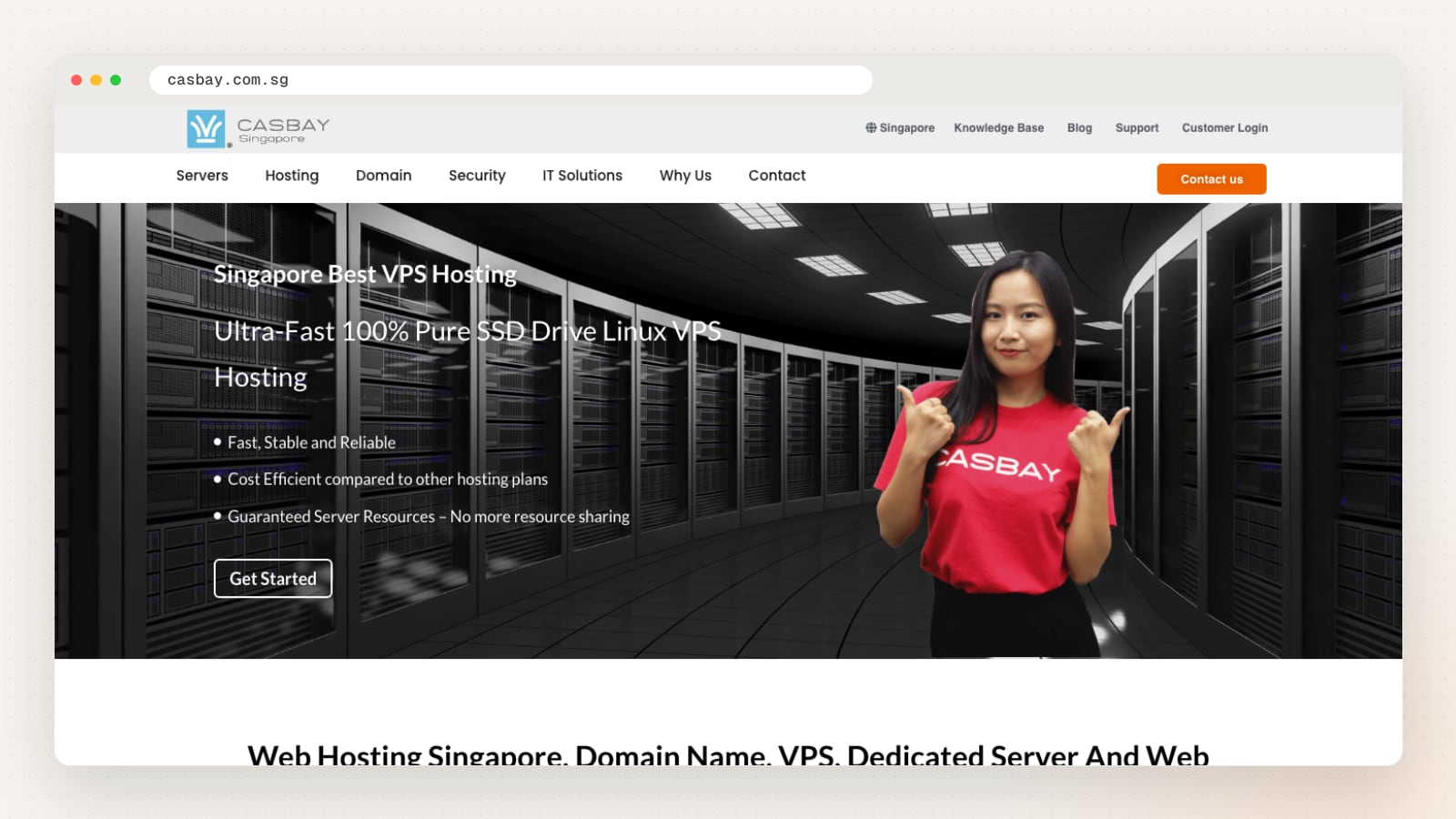
Casbay’s Business Email Hosting plans use SmarterMail webmail, which gives each user email, contacts, calendars, notes and tasks in the browser and on mobile. Mailbox sizes range from 20 GB to 400 GB per user depending on the plan.
The plans include team workspaces with group chat and video chat, a dedicated IP address and backups, weekly on the entry plan and daily on the others. Support is by ticket around the clock.
Casbay’s email page is one of the few in this list that states where mail is kept: a Tier III certified data centre in Singapore.
| Detail | Casbay |
|---|---|
| Website | casbay.com.sg |
| Email platform | SmarterMail |
| Singapore data centre | Yes, stated (Tier III data centre in Singapore) |
| Storage per mailbox | 20 GB to 400 GB per user, by plan |
| Also offers | Web hosting, VPS and dedicated servers, domains, SSL, office IT support |
| Pricing published on site | Yes |
Pros
- Singapore data centre stated on the email page
- Large mailbox options on the higher plans
- Daily backups on all but the entry plan
Things to check
- Ask whether moving your existing mailboxes is included, since the email page lists general hosting and server migration services
Good fit for: teams that want mail kept in a Singapore data centre, or need large mailboxes.
2. CLDY
A hosting company with a Singapore site and phone line, selling its own Cloud Mail plans alongside managed Microsoft 365.

CLDY has two plan families on its own mail platform: Cloud Mail with 5 GB per mailbox and Cloud Business Mail with 25 GB per mailbox, with 50 GB and 100 GB options linked from the same page. Plans include SSL-secured webmail, IMAP, POP3 and SMTP, anti-spam and anti-malware filtering.
Support runs around the clock by WhatsApp, email and phone, and the plans come with a 30-day money-back guarantee. Its FAQ says migration from your old provider is free and needs only the old server details and the list of users.
One useful detail: the plan page publishes hourly sending limits and a 25 MB outgoing attachment limit for each plan, so you can check them against how your team sends invoices, quotes or large files.
| Detail | CLDY |
|---|---|
| Website | cldy.com/sg |
| Email platform | CLDY mail platform (managed Microsoft 365 also offered) |
| Storage per mailbox | 5 GB or 25 GB per mailbox, with 50 GB and 100 GB options |
| Migration help | Yes, free (per its FAQ) |
| Also offers | Domains, web and WordPress hosting, managed cloud servers, SSL, anti-spam add-on |
| Pricing published on site | Yes |
Pros
- Free migration from your current provider
- Sending limits and attachment size published per plan
- Support by WhatsApp, email and phone at any hour
Things to check
- Ask which data centre your mailboxes will be hosted in, as the email page does not say
Good fit for: small teams that want standalone mailboxes on their own domain with local support.
3. Exabytes
The Singapore arm of a regional hosting group, offering SmarterMail business email and reselling Google Workspace, Microsoft 365 and Lark.
Exabytes Network (Singapore) Pte. Ltd. sells Business Email Hosting on SmarterMail with 25 GB per user. Mail works in Outlook through ActiveSync and EWS, and calendars and contacts sync through CalDAV and CardDAV.
The plans include anti-spam, SSL-secured webmail and team workspaces with group chat, file sharing and video calls for small groups. Messages can be up to 50 MB including attachments, and the page offers a 100-day money-back guarantee.
If you would rather use a big suite, Exabytes also sells Google Workspace, Microsoft 365 and Lark, so you can compare standalone mailboxes and suites with one supplier.
| Detail | Exabytes |
|---|---|
| Website | exabytes.sg |
| Email platform | SmarterMail (also resells Google Workspace, Microsoft 365, Lark) |
| Storage per mailbox | 25 GB per user |
| Also offers | Domains, WordPress hosting, VPS and dedicated servers, colocation, SSL, backups |
| Pricing published on site | Yes |
Pros
- Outlook support through ActiveSync and EWS
- Large 50 MB message size limit
- Standalone mail and the big suites from one supplier
Things to check
- Confirm whether moving your existing mailboxes is included, and where your mail will be stored
Good fit for: SMEs that want SmarterMail mailboxes, or want to buy a suite through a local reseller.
4. Google Workspace
Google’s business suite: Gmail on your own domain, with Calendar, Meet, Drive, Docs and Sheets.
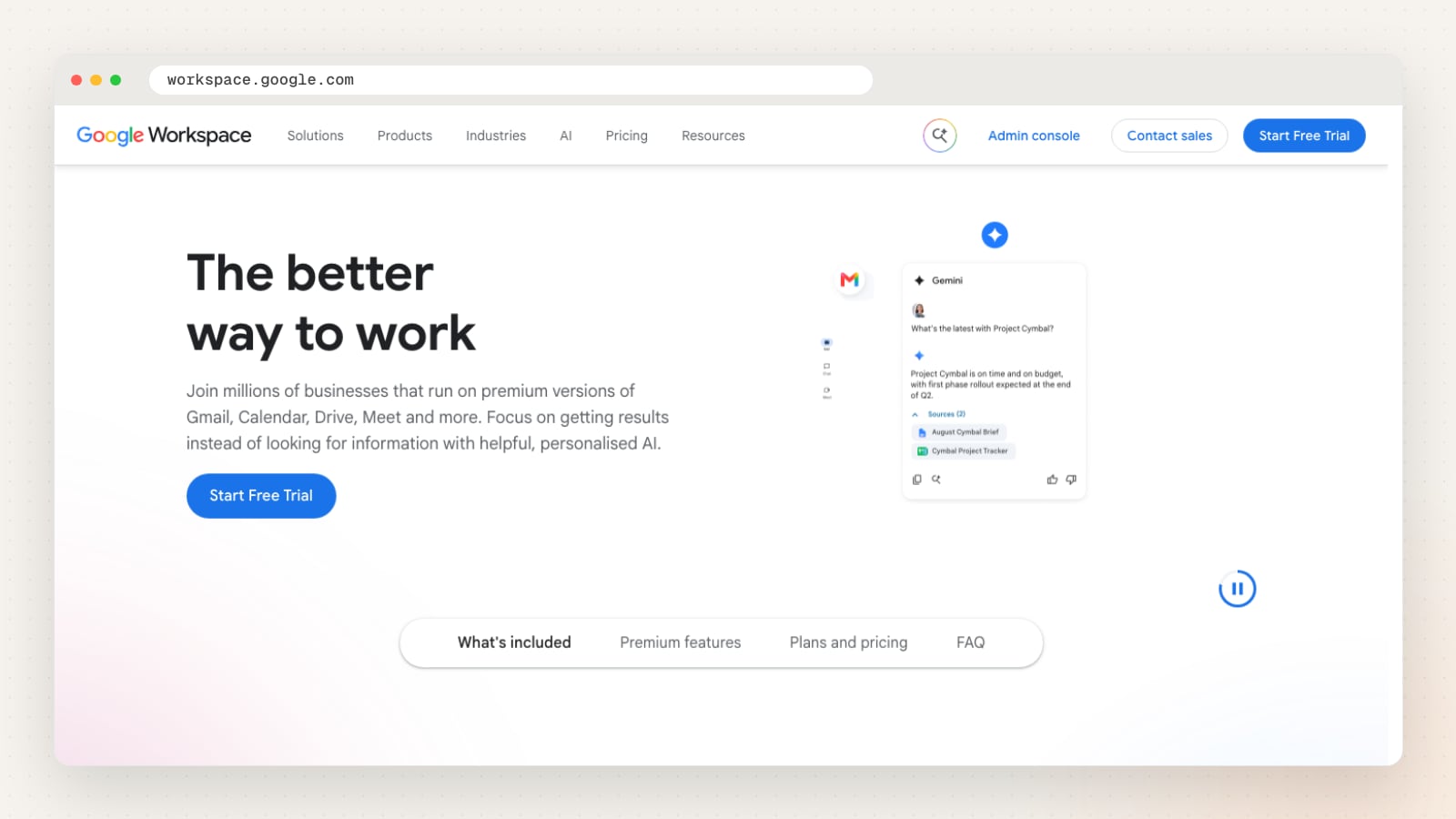
Every Google Workspace plan includes custom business email in Gmail, plus Calendar, Meet video calls, Chat, Drive and the Docs editors, managed from one admin console. The Singapore pricing page shows prices in SGD, and there is a free trial.
Storage is pooled across your organisation rather than fixed per mailbox: 30 GB per user on Business Starter, 2 TB on Business Standard and 5 TB on Business Plus and Enterprise. A few heavy users can draw on space the rest of the team does not use.
The plans also include Gemini, Google’s AI assistant, inside Gmail and the Docs editors.
| Detail | Google Workspace |
|---|---|
| Website | workspace.google.com |
| Email platform | Gmail |
| Storage per mailbox | 30 GB to 5 TB pooled per user, by plan |
| Migration help | Self-serve migration tools in the admin console |
| Also offers | Calendar, Meet, Drive, Docs, Sheets, Slides, Gemini |
| Pricing published on site | Yes (SGD) |
Pros
- Familiar Gmail interface for most staff
- Pooled storage shared across the organisation
- Email, calendar, meetings and documents in one account
Things to check
- Decide who will run the admin console and update your DNS records, since you set up the domain yourself or through a reseller
Good fit for: teams that already use Gmail, Google Docs or Google Meet.
5. IceWarp
An email and collaboration suite with a Singapore site, available in the cloud or installed on your own servers.
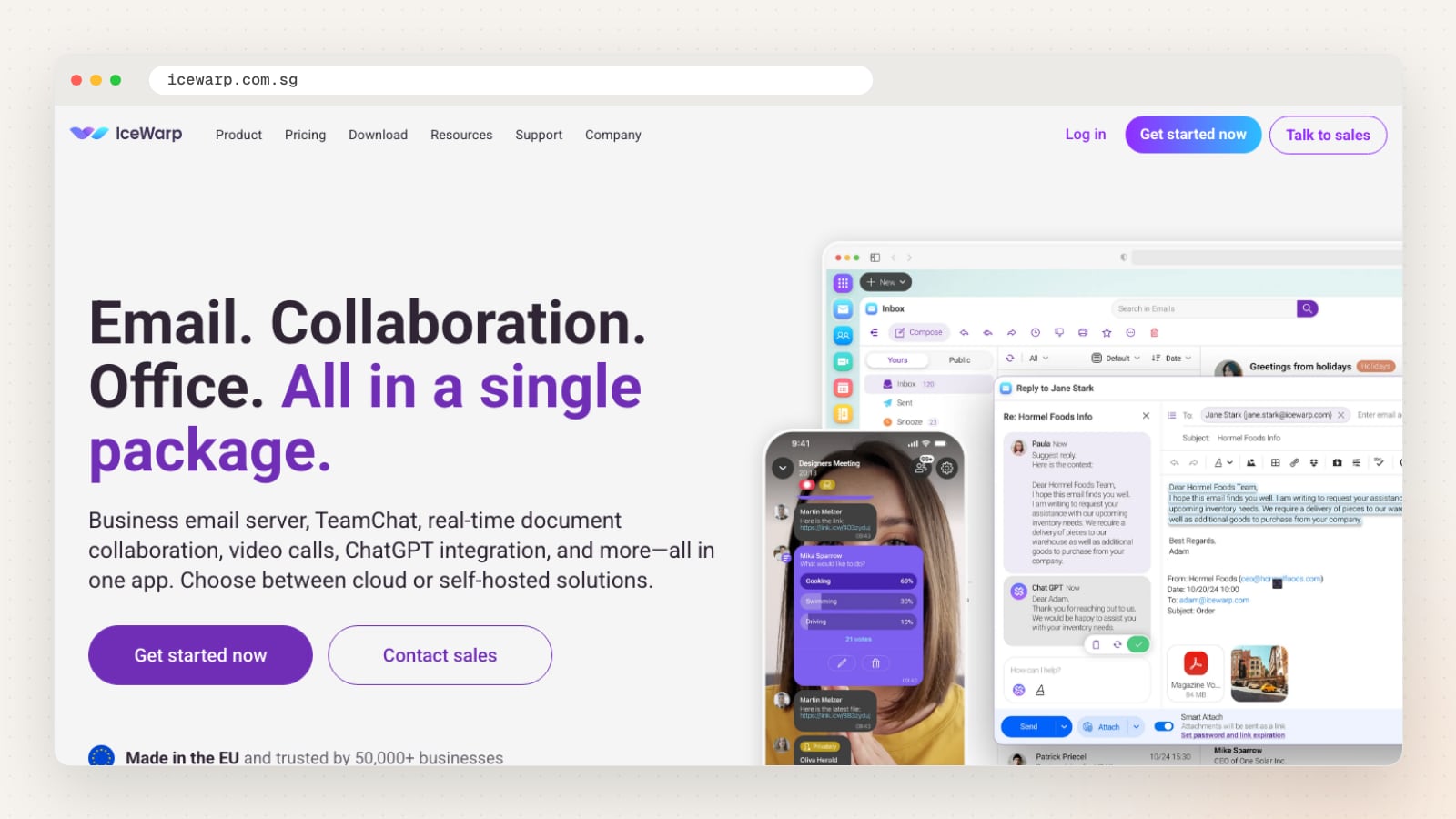
IceWarp combines email on your own domain with TeamChat, shared calendars, online documents, file storage and video conferences, including a webinar mode for up to 1,000 attendees. Email storage is 2 GB on Core, 50 GB on Essential and 200 GB on Business, per user.
IceWarp offers a fully managed migration from Microsoft Exchange, Microsoft 365, Google Workspace, Zimbra and others, and a free 30-day trial. Its site lists ISO 27001 and SOC 2 among its certifications.
It is one of the few options here that can also be self-hosted, which suits organisations that want their mail on servers they control.
| Detail | IceWarp |
|---|---|
| Website | icewarp.com.sg |
| Email platform | IceWarp |
| Storage per mailbox | 2 GB to 200 GB email per user, by plan |
| Migration help | Yes, managed migration service |
| Also offers | TeamChat, video conferencing, online documents, desktop suite |
| Pricing published on site | Yes |
Pros
- Managed migration from Exchange, Microsoft 365 and Google Workspace
- Cloud or self-hosted deployment
- Free 30-day trial
Things to check
- Ask which data centre region your cloud mailboxes will use, and who provides local support
Good fit for: businesses that want email, chat and meetings from one provider, or the option to self-host.
6. Microsoft 365
Microsoft’s business plans: Outlook and Exchange email on your own domain, with Teams, OneDrive and the Office apps.
Business Basic, Business Standard and Business Premium all include custom business email on Exchange with spam and malware filtering, a 100 GB primary mailbox and 1 TB of OneDrive storage per user, for up to 300 users. Premium adds a larger archive and extra threat protection.
Business Basic includes the web and mobile versions of Word, Excel, PowerPoint and Outlook. The desktop apps start from Business Standard. Prices are shown on the Singapore site and each plan has a free trial.
Business Premium also adds device management and Defender protection against phishing and malware, which suits teams that handle sensitive client data on laptops and phones.
| Detail | Microsoft 365 |
|---|---|
| Website | microsoft.com |
| Email platform | Exchange and Outlook |
| Storage per mailbox | 100 GB primary mailbox per user |
| Migration help | Migration tools in the Exchange admin centre |
| Also offers | Teams, OneDrive, SharePoint, Word, Excel, PowerPoint |
| Pricing published on site | Yes |
Pros
- Large 100 GB mailbox on every business plan
- 1 TB of OneDrive storage per user
- Works with the Outlook desktop app many teams already use
Things to check
- Check which plan includes the desktop apps your team needs, as Business Basic is web and mobile only
Good fit for: teams that work in Outlook, Word and Excel every day.
7. Oryon
A Singapore company that sells and supports Microsoft 365 and Google Workspace, with free email migration on both.
Oryon describes itself as an official Microsoft Solutions Partner and lists Microsoft 365 business plans in SGD, with first-year and renewal rates shown. It can also take over billing from another Microsoft partner. Google Workspace is sold alongside.
Email migration into Microsoft 365 is free, with tenant-to-tenant moves and file migration quoted separately. Its Google Workspace page says its engineers migrate a set number of accounts free of charge.
Support is offered around the clock by live chat, WhatsApp and email, including remote desktop help.
| Detail | Oryon |
|---|---|
| Website | oryon.net |
| Email platform | Microsoft 365, Google Workspace |
| Migration help | Yes, free email migration (limits apply) |
| Also offers | Domains, web and WordPress hosting, backup, endpoint security, email security add-on |
| Pricing published on site | Yes (SGD, on its Microsoft 365 page) |
Pros
- Free email migration into Microsoft 365 and Google Workspace
- Local billing and support for both suites
- Renewal rates shown next to first-year prices
Things to check
- Confirm how many mailboxes the free migration covers for your plan and what is quoted separately
Good fit for: businesses that want Microsoft 365 or Google Workspace bought, set up and supported locally.
8. ReadySpace
A Singapore cloud provider with an email hosting plan that is also included in its web hosting.
ReadySpace is a Singapore company whose main business is cloud servers, Kubernetes, dedicated and GPU servers. Its Email Hosting plan covers antivirus and spam filtering, SSL/TLS connections, ActiveSync and an MX cluster, plus reputation management for outgoing mail so it is less likely to be blocked.
The base plan lists 3 mailboxes and 3 GB of storage, and email hosting is included with ReadySpace web hosting plans. A separate email security product, SpamExperts, can filter mail for other providers.
| Detail | ReadySpace |
|---|---|
| Website | readyspace.com.sg |
| Storage per mailbox | 3 GB in the base plan (3 mailboxes) |
| Also offers | Cloud and dedicated servers, Kubernetes, domains, SSL, email security |
| Pricing published on site | Yes |
Pros
- Email included with its web hosting plans
- Outgoing mail reputation management
Things to check
- Ask whether storage is per mailbox or shared across the plan, and how to add more
Good fit for: businesses already running servers or websites with ReadySpace.
9. SecureAX
A Singapore managed IT and cloud provider whose business email is priced by total storage rather than per user.
SecureAX Pte Ltd sells Business Email Hosting in storage blocks from 100 GB to 1 TB. Each mailbox can be set between 5 GB and 50 GB, and the number of mailboxes depends on the block you choose.
Plans include SSL, anti-virus and anti-spam, daily backup and free two-factor authentication. Migration is a paid service per mailbox, or you can move mail yourself using the steps on its page.
A useful option for mixed teams: SecureAX describes a hybrid setup where some users on your domain are on its mailboxes and others on Microsoft 365 or Google Workspace, which it also sells.
| Detail | SecureAX |
|---|---|
| Website | secureax.com |
| Email platform | SecureAX mail (also sells Microsoft 365, Google Workspace) |
| Storage per mailbox | 5 GB to 50 GB per mailbox, from a shared storage block |
| Migration help | Yes, paid per mailbox, or self-migration |
| Also offers | Managed IT, cloud hosting, email archiving, email security gateway, backup |
| Pricing published on site | Yes |
Pros
- Hybrid setup with Microsoft 365 or Google Workspace on the same domain
- Daily backup and free two-factor authentication
- Many light mailboxes can share one storage block
Things to check
- Confirm which support channels your plan includes, as the page lists phone and WhatsApp support as extras
Good fit for: organisations with many light email users, or mixing them with a few Microsoft 365 seats.
10. Zoho Mail
Ad-free business email from Zoho, which has a Singapore office and states data centres in Singapore.
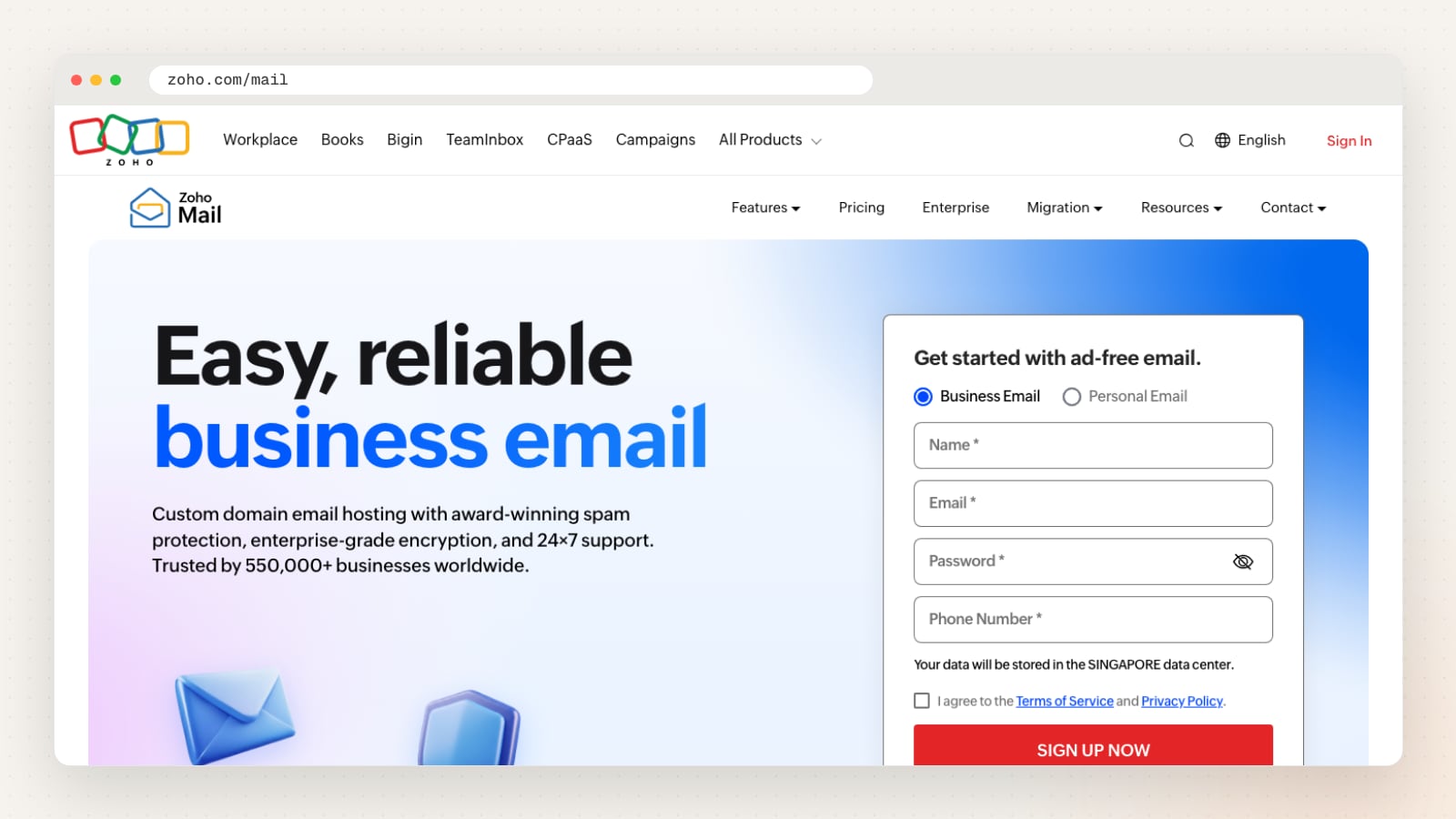
Zoho Mail plans range from Mail Lite with 5 GB or 10 GB per user to Mail Premium with 50 GB, and the Workplace plans add documents and file storage with 30 GB or 100 GB of mail per user. There is a free plan for up to 5 users in some data centres, without IMAP or POP access.
A free migration tool moves email, contacts and calendars from Google Workspace, Microsoft 365 or any IMAP provider, and Zoho says its migration specialists help at no extra charge. The service is ad-free.
Zoho lists primary and secondary data centres in Singapore on its own site. When you sign up, check that your account is created in the Singapore data centre if local storage matters to you.
| Detail | Zoho Mail |
|---|---|
| Website | zoho.com/mail |
| Email platform | Zoho Mail |
| Singapore data centre | Yes, stated (Singapore data centres) |
| Storage per mailbox | 5 GB to 100 GB per user, by plan |
| Migration help | Yes, free migration tool |
| Also offers | Zoho Workplace, CRM and other business apps |
| Pricing published on site | Yes |
Pros
- Singapore data centres stated on its own site
- Free migration tool from Google, Microsoft and IMAP
- Connects to Zoho CRM and other Zoho apps
Things to check
- Confirm which data centre your account is created in, and that your plan includes IMAP if you use Outlook or Apple Mail
Good fit for: small teams that want a separate mail service, or businesses already using Zoho apps.
What is email hosting, and how is it different from web hosting?
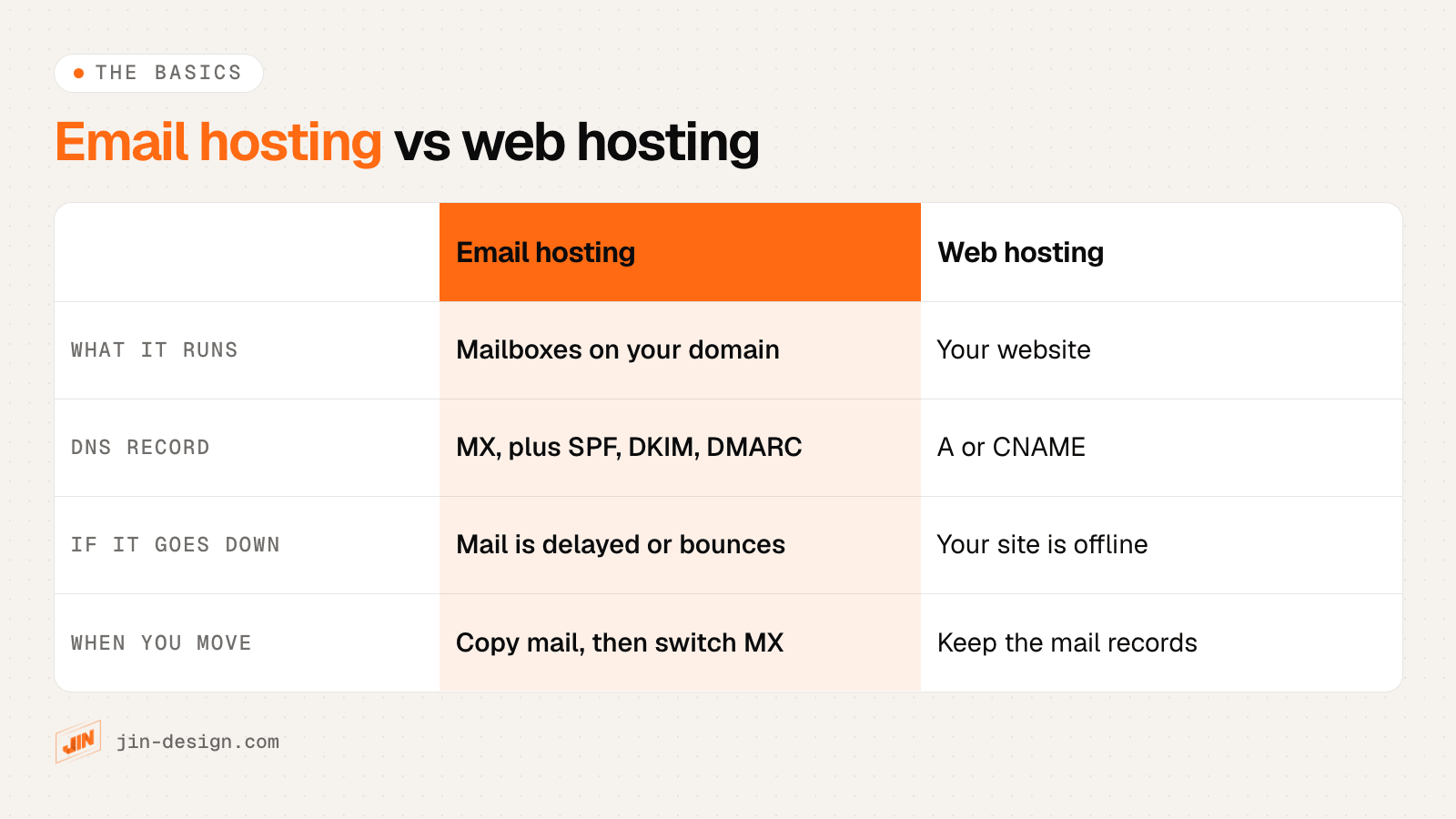
Email hosting runs the mailboxes for addresses on your own domain, such as hello@example.com. The provider stores your mail, filters spam and viruses, and lets you read it in a browser, in Outlook or Apple Mail, or on your phone.
Web hosting is the server that shows your website. Many hosts sell both together, which is fine for a small team, but they are separate services. Your domain’s DNS records decide where each one goes, so you can change your website without touching your email.
If you are unsure where your domain, website and email currently sit, our guide to domains and hosting explains how the pieces fit together.
Which type of email hosting do you need?
| Type | How it works | Best for | Things to ask |
|---|---|---|---|
| Bundled with web hosting | Mailboxes come with a shared web hosting plan | A few users who send ordinary volumes of mail | Storage per mailbox, sending limits, what happens to email if you move the website |
| Business suite | Google Workspace or Microsoft 365: email plus calendar, documents, meetings and storage | Teams that want everything in one account | Which plan includes the apps and storage you need |
| Standalone hosted mailboxes | A dedicated mail service such as Zoho Mail, SmarterMail or a host’s own platform | Teams that only need email, or many light users | Outlook and mobile support, backups, migration help |
| Self-hosted | Mail software on your own server or VPS | Organisations with IT staff and strict control needs | Who patches, monitors and backs up the server |
For most small and medium businesses, the real choice is between a business suite and standalone mailboxes. Self-hosting needs someone to look after the server every week, and a badly kept mail server is quickly blocked by other providers.
How to choose an email hosting provider
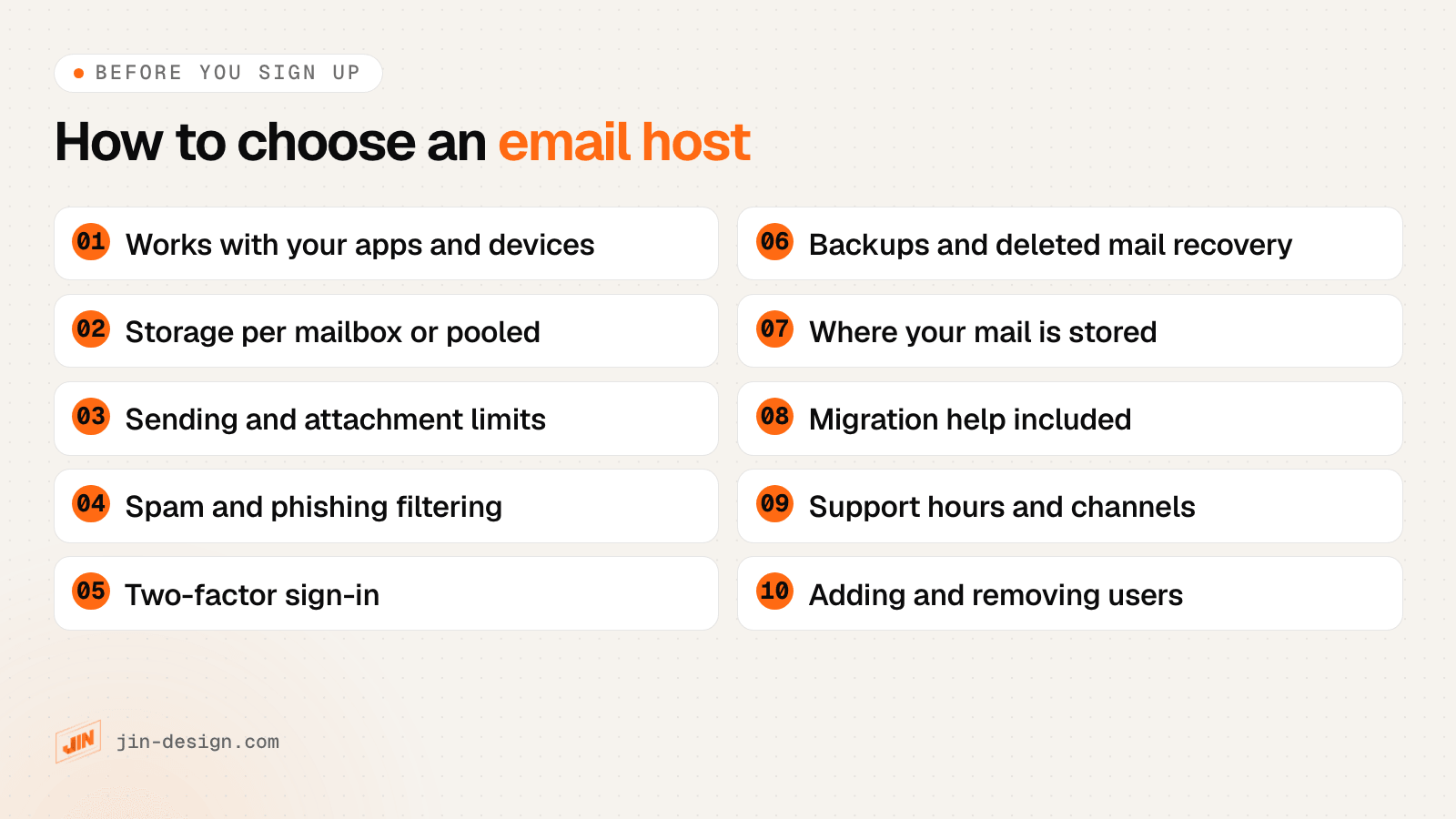
A few of these are easy to miss:
- Storage per mailbox or pooled. Some plans give each user a fixed size; others share one pool across the team. A shared pool suits teams where only a few people keep years of mail.
- Sending limits. Hosted mailboxes usually cap how many emails each user can send per hour or day. If you send invoices or newsletters in batches, check the limit, and use a proper newsletter tool for marketing email.
- Leavers. Ask how you keep a former employee’s mail and forward their address without paying for a full seat.
- Who manages it. Someone needs admin access to add users, reset passwords and update DNS records. Decide who that is before you sign up.
What should you check on a budget email plan?
Lower-priced plans can work well for small teams. Before you choose one, confirm what the plan actually includes:
- the storage per mailbox, and the cost of adding more
- whether IMAP and mobile sync are included, if you use Outlook, Apple Mail or a phone app
- the hourly or daily sending limit and the attachment size limit
- how often mail is backed up, and how long deleted mail can be recovered
- spam and phishing filtering, and two-factor sign-in
- support hours and channels, and whether help with setup or migration costs extra
How do you move your email without downtime?
Moving email is mostly about timing. Done in this order, mail keeps arriving throughout the switch.
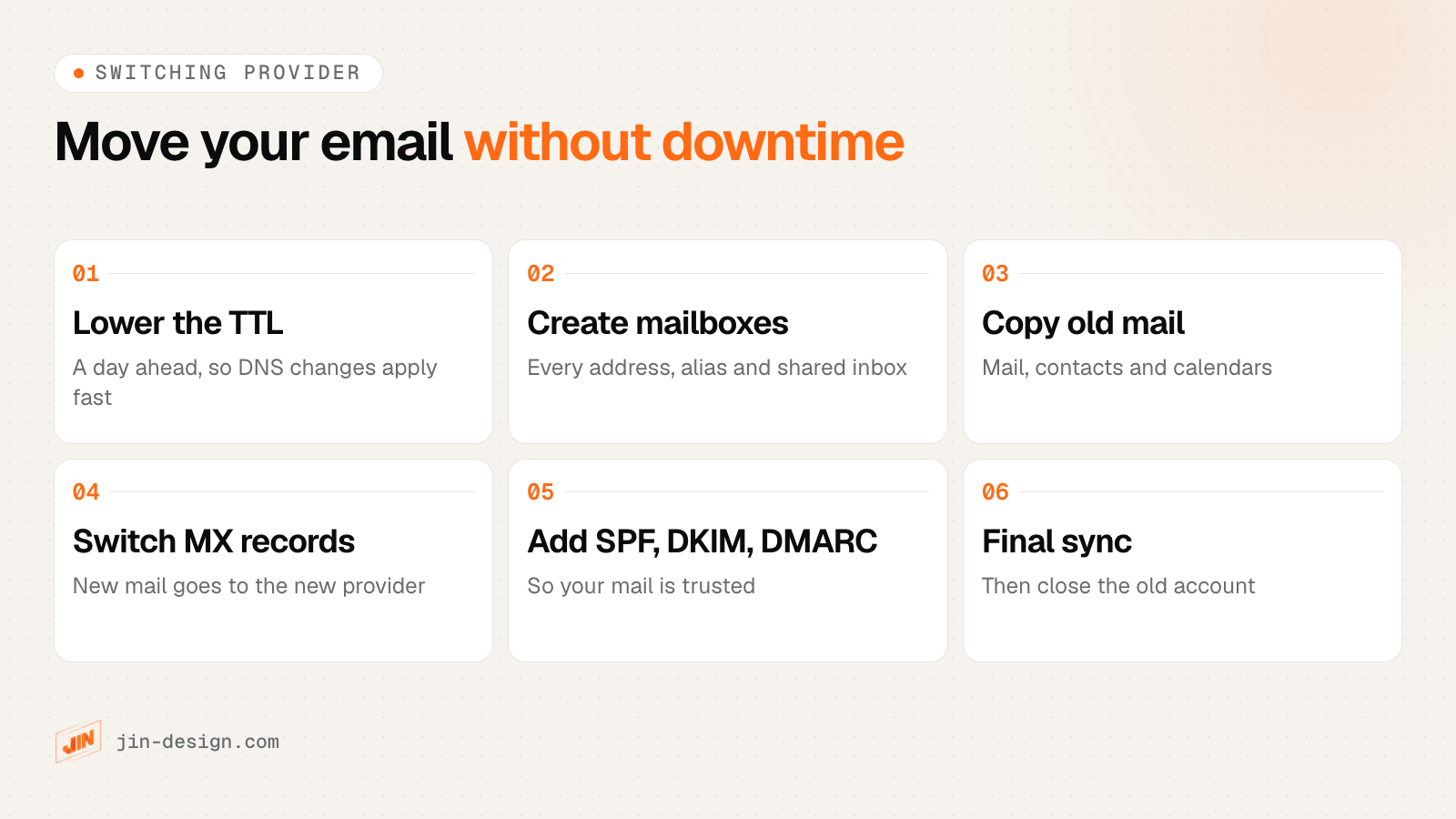
- Lower the TTL. A day before the move, set the TTL on your MX records to a few minutes. Changes then take effect quickly when you switch.
- Create the new mailboxes. Set up every address, alias and shared mailbox at the new provider and verify your domain with them.
- Copy your old mail. Use the provider’s migration tool or service to copy existing mail, contacts and calendars across while the old system is still live.
- Switch the MX records. Replace the old MX records with the new provider’s at your DNS host. New mail starts arriving at the new provider within minutes to hours.
- Set up SPF, DKIM and DMARC. Add the new provider’s values so your outgoing mail is trusted (see below).
- Run a final sync. A day or two later, copy anything that arrived at the old server during the switch, reconnect phones and desktop apps, then cancel the old account.
Your DNS settings live wherever your domain’s nameservers point: often your domain registrar, sometimes your web host or a DNS service. If you need to find out where your domain is managed, our list of domain name registrars in Singapore covers the common ones.
SPF, DKIM and DMARC in plain English
These three DNS records prove that email from your domain is genuine. Without them, your mail is more likely to land in spam, and anyone can pretend to send email as your company. Gmail and Yahoo expect them from anyone sending mail in volume.
| Record | What it does | Example (yours will differ) |
|---|---|---|
| MX | Tells the world which servers receive mail for your domain | example.com MX 10 mx.provider.com |
| SPF (TXT) | Lists the servers allowed to send mail for your domain | v=spf1 include:_spf.provider.com ~all |
| DKIM (TXT or CNAME) | Publishes a key that checks the digital signature on each email | A long key from your provider, under a name like selector._domainkey |
| DMARC (TXT) | Tells receiving servers what to do with mail that fails SPF or DKIM, and where to send reports | v=DMARC1; p=none; rua=mailto:reports@example.com |
A few practical points:
- One SPF record only. If you send from several services (your mailboxes, a newsletter tool, your website’s contact form), combine them into a single SPF record.
- Start DMARC gently. Begin with
p=noneto receive reports, then move toquarantineorrejectonce you are sure every legitimate sender passes. - Your website sends email too. Contact forms and online stores often send mail through your domain. Make sure they use an authenticated service that is included in SPF and DKIM, or their messages may not arrive.
Changing your website? Keep your email records
Businesses often lose email during a website move, when the site goes to new hosting or a new DNS provider and the mail records are not copied across.
Before any website move, export or screenshot every DNS record: MX, SPF, DKIM, DMARC and any verification records. After the switch, check that each one is still there and send a test email both ways. Our guide to choosing a website hosting server covers the website side of a move.
Where is your email stored, and does the PDPA matter?
The PDPA does not require email to be stored in Singapore. It does require you to protect personal data, and if data is transferred overseas, to make sure it is protected to a standard comparable to the PDPA.
Some businesses prefer local storage anyway, for client expectations or industry rules. In this list, Casbay and Zoho state Singapore data centres on their own sites. For any provider, ask where your mailboxes and backups are kept and what security certifications apply.
How we chose these providers
Every provider here offers business email on your own domain, has a Singapore presence or a Singapore service, and has a working website that describes its email product clearly enough to compare. Each entry is written only from what the provider’s own website says, and we do not quote prices because they change often. Providers are listed alphabetically, and we re-check this list every quarter.
Your website and your email
We design, build and look after websites, and we do not sell email hosting. Your email can stay with whichever provider suits your team, and your website can change around it.
If you are planning a new website, see our web design service, or our website maintenance plans if you need an existing WordPress site kept updated. Talk to us about your project.
Frequently asked questions
What is the difference between email hosting and web hosting?
Web hosting stores and serves your website. Email hosting runs the mailboxes for addresses on your domain. They are often sold together, but they are separate services controlled by different DNS records, so you can keep your email with one provider and your website with another.
Can I keep my email if I change my website or web host?
Yes. Your email follows your domain's MX records, not your website. When a website moves, make sure the MX, SPF, DKIM and DMARC records are copied to the new DNS settings exactly as they were, and your mail keeps working.
Which email hosting providers have servers in Singapore?
Of the providers in this list, Casbay and Zoho state Singapore data centres on their own websites. Others may also host mail locally but do not say so on the pages we checked, so ask before you sign up if local storage matters to you.
How do I move to a new email provider without losing emails?
Lower the TTL on your MX records a day ahead, create the new mailboxes, copy your old mail across, then switch the MX records. Run a final sync a day or two later and keep the old account until you are sure nothing is missing.
What are SPF, DKIM and DMARC?
They are DNS records that prove your email really comes from your domain. SPF lists the servers allowed to send for you, DKIM adds a digital signature, and DMARC tells receiving servers what to do with mail that fails those checks. Gmail and Yahoo expect them from bulk senders.
Does the PDPA require my email to be stored in Singapore?
No. The PDPA does not require local storage, but if personal data is transferred overseas, you must make sure it is protected to a standard comparable to the PDPA. Ask your provider where mail is stored and what safeguards apply.